A standard CCTV system records what happens. Useful after the fact. Useless in the moment.
What we build is different. Every camera is integrated directly into your Home Assistant dashboard, feeding live footage, motion events, and AI-analysed snapshots into a system that can identify what it’s seeing and respond to it — automatically, in real time, before you’ve even picked up your phone.
It’s not just security. It’s situational awareness across your entire property, running continuously, connected to everything else in your home.
We’ve tested and integrated a lot of camera hardware. For residential and light commercial installations on the Central Coast, Reolink is consistently the right choice — and here’s the specific reason: their Home Assistant integration is platinum-rated.
That’s not marketing. In the Home Assistant ecosystem, platinum is the highest integration tier. It means local API access, real-time event data, reliable two-way communication, and no dependency on cloud servers that can go offline, change their terms, or get discontinued.
The hardware is also genuinely good. Clear images in low light. Accurate onboard detection that separates people, vehicles and animals without constant false triggers. PoE models that run on your existing network infrastructure with no Wi-Fi reliability issues. And a range that covers turrets, varifocal, PTZ and 4K options depending on what each location needs.
When your cameras and your automation platform speak the same language natively, the whole system becomes more capable — not just more monitored.
Installation is the easy part. The intelligence is in what happens after.
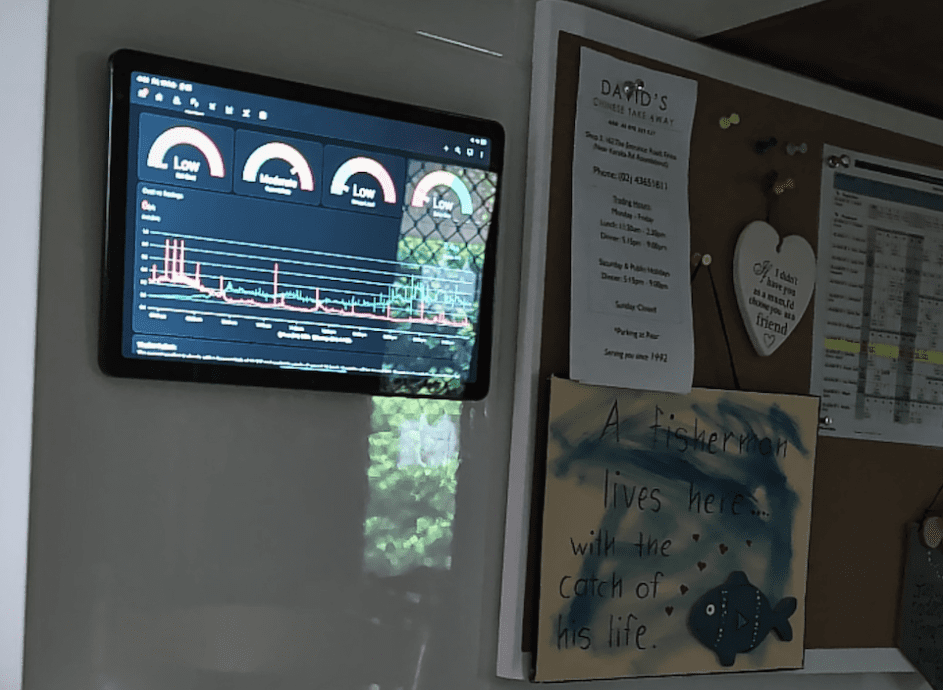
Live dashboard feeds— All cameras visible on your Home Assistant dashboard and wall tablet. Grouped views, individual views, full-screen on demand. No app required, no cloud login, no latency from a third-party server.
Motion-triggered snapshots— When motion is detected, a snapshot is captured and surfaced on your dashboard instantly. Timestamped. Stored locally. Reviewable without scrubbing through footage.
Person and vehicle detection— Onboard Reolink AI separates people, vehicles and animals from environmental motion. Fewer false alerts. More signal, less noise.
Doorbell camera integration— When someone arrives at the front door, your Nest Hub displays the camera feed automatically. No button press, no delay. You see who’s there before they knock.
Perimeter automation triggers— Motion on a specific camera zone triggers lighting, sounds a chime, sends a push notification, or arms a secondary alert depending on time of day and who’s home.
AI-assisted event analysis— We configure Home Assistant to pass camera snapshots to an AI vision model on motion events. The system can describe what it sees, distinguish between a delivery driver and someone loitering, and trigger different responses accordingly.
NVR local recording— All footage is recorded to a Reolink NVR on your local network. No subscription. No cloud storage fees. Footage retained for as long as your drive capacity allows, accessible from your dashboard or the Reolink app.
Remote access— View live and recorded footage from anywhere via your Home Assistant remote access setup. Secure, encrypted, no third-party relay.
If you already have cameras installed, replacement isn’t always necessary.
We can integrate a wide range of existing NVR and IP camera systems into Home Assistant via ONVIF, RTSP stream pull, or brand-specific integrations. Hikvision, Dahua, Uniview, Annke, and many others have workable integration paths. The level of native functionality varies by brand — Reolink gives you the most — but for customers who want their existing hardware brought into the dashboard without a full replacement, we assess what’s possible and build accordingly.
We’ll tell you honestly if your existing hardware is worth integrating or if replacement gives you significantly more capability for the cost. No upsell pressure — just a straight answer
Cameras and alarms should be part of the same system. Most of the time, they’re not even on speaking terms.
We integrate your existing alarm panel directly into Home Assistant — Hills Reliance, Bosch, Paradox, DSC, Ness, Inner Range, Honeywell and most major brands. Arm and disarm from your dashboard. See every zone status in real time. Receive push notifications when zones trigger. And build cross-system automations that cameras and sensors couldn’t achieve operating independently — like locking all doors and snapping a snapshot from every camera simultaneously when the alarm is triggered.
If you don’t have an existing alarm, we can integrate standalone PIR sensors, door and window contacts, and glass break sensors directly into Home Assistant without a traditional alarm panel. Simpler, cheaper, and fully integrated from day one.
Where cameras go matters as much as which cameras you use. Blind spots, lighting conditions, cable routing, mounting angles, lens selection — these are decisions that affect what you can actually see and prove, not just what you’ve technically covered.
During your free on-site assessment, we map every coverage zone, identify the optimal mounting positions, and spec the right camera type for each location. Turret cameras for eaves and corners. Varifocal for longer distances or adjustable focal needs. PTZ where pan and tilt coverage is worth the trade-off. 4K where resolution matters — number plates, faces, fine detail at distance.
Every cable run is planned before installation starts. We don’t drill holes and figure it out from there.
This depends on your property, not a package tier. Common configurations for Central Coast homes:
Standard residential— 4 cameras covering front entry, driveway, rear yard, and side access. Suits most single-storey homes on a standard block.
Extended coverage— 6–8 cameras adding garage, secondary entries, pool area, and side gates. Suits larger blocks, corner lots, or acreage.
Full perimeter— 8–16 cameras with overlapping zones, NVR upgrade, and full AI event coverage. Suits acreage, dual occupancy, or high-value properties.
Exact camera count and placement is confirmed during the site assessment. We don’t quote blind.
Do the cameras require internet to work?No. All cameras connect to your local network via PoE. Recording, live viewing on your dashboard, and all automations run locally. Remote access requires internet, but your local system operates fully independently.
Can I add cameras to an existing installation?Yes. Additional cameras and upgraded NVRs can be added to any existing installation. Contact us and we’ll confirm compatibility and scope the extension.
What happens to the footage if someone cuts the power?We recommend UPS (uninterruptible power supply) backup on your NVR and network switch for exactly this scenario. Cameras stay live through short outages and the NVR keeps recording. We can include this in your installation quote.
Are Reolink cameras good in low light?Yes. Reolink’s colour night vision and infrared models perform well in low-light conditions. For locations with no ambient light at all — rural driveways, sheds, remote gates — we’ll spec the appropriate model during assessment.
Can I access footage on my phone?Yes. Via your Home Assistant remote access setup or the Reolink app directly. Both options are configured as part of your installation.
Will the cameras slow down my network?PoE cameras connect directly to a PoE switch and stream to the NVR on a separate wired segment of your network. Properly configured, they have no measurable impact on your Wi-Fi or general internet performance.
Book a free on-site assessment and we’ll map out a security system built around your home — not a catalogue.
We can integrate almostany existing camera systeminto your dashboard. However, for those starting fresh or looking for the ultimate edge, we preferReolink. Their platinum level integration and great hardware offers the perfect balance of accurate snapshots and local reliability. By pairing Reolink’s precision with our automations and AI analysis, we can detect, count, or analyse situations and trigger automations.