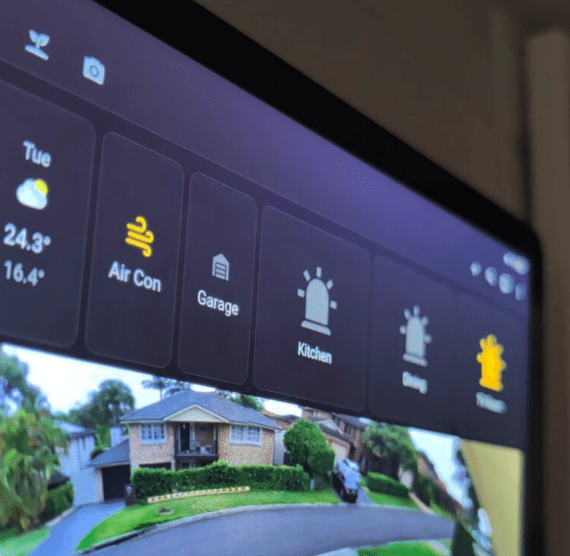
Most smart home installers stop at the front door. Lights, locks, cameras, AC — everything inside the four walls. That’s the easy part. We don’t stop there. Your home doesn’t exist in isolation. It sits inside a suburb, under a forecast, near a fire risk zone, on a road network, beneath flight paths, next to a beach. All of that information exists somewhere on the internet, updated in real time, relevant to how you live — and almost none of it is inside your smart home by default.
We change that. If the data exists and it’s accessible, we can pull it into your Home Assistant dashboard, set alerts on it, and build automations that respond to it. Your system stops reacting to what’s happening inside your house and starts responding to the world around it.
Home Assistant is built on an open integration architecture. It talks to APIs, parses data feeds, pulls live streams, reads RSS, subscribes to MQTT topics, and executes logic against any data source it can reach. That gives us a surface area for automation that most people never come close to using.
Here’s a cross-section of what we’ve connected and automated for Central Coast homes:
NSW RFS Fire Alerts— Live fire incident data from the NSW Rural Fire Service feed, pulled directly into Home Assistant. Get a push notification the moment a fire is reported within a defined radius of your property. See fire category, location, and status on your dashboard. Build automations that respond automatically — activating garden sprinklers to presoak your property when a large fire is reported nearby, closing motorised vents, or sending alerts to multiple household members simultaneously.
Bureau of Meteorology— Actual BOM forecast data integrated alongside your personal weather station readings. Severe weather warnings trigger dashboard alerts. Rain forecast suppresses your irrigation schedule. Heatwave conditions pre-cool your home before peak pricing kicks in.
Air Quality Index— Live AQI data pulled from monitoring stations. Automations close windows, activate air purifiers, and push alerts when air quality drops below a threshold — useful during fire season on the Central Coast when conditions can change fast.
Lightning and storm alerts— Severe thunderstorm warnings from BOM trigger automations that close your smart blinds, alert you to bring in outdoor furniture, and flag the event on your dashboard.
Live traffic cameras— NSW Transport traffic camera feeds displayed on your dashboard. Check road conditions on your usual routes before you leave. Build automations that notify you when incidents are detected on specific cameras covering your commute.
Live travel time data for your saved routes pulled into your dashboard. Morning routines that factor in how long it’ll actually take you to get where you’re going.
Real-time departure data for local bus and train services on your dashboard. Automations that alert you when your service is delayed or cancelled.
Live flight overhead data via ADS-B integration. See what’s flying over your property in real time. Useful for curiosity, and for the surprisingly common use case of knowing when a family member’s flight has landed.
Beach cameras and surf conditions— Live webcam feeds from Central Coast beaches displayed on your dashboard. Surf report data integrated from public sources. Check conditions before driving to the coast.
Water quality and beach closures— Council and EPA water quality data pulled in and surfaced as dashboard indicators. Alert when closures are issued for beaches you care about.
Tide times— Automated tide schedule integration. Useful for fishing, boating, and coastal property owners monitoring conditions.
Council and local alerts— Public RSS feeds from Central Coast Council and NSW Government sources. Maintenance notices, road closures, event disruptions — visible on your dashboard as they’re published.
Live energy spot prices— For customers on wholesale or variable tariff plans, live energy price data integrated into automations. High-draw appliances defer automatically when spot prices spike.
Sports scores and schedules— Live score feeds from your preferred sports. Dashboard widgets that surface scores during active games without you having to check your phone.
Stock and crypto tickers— Live price data for assets you track displayed on your dashboard. Threshold alerts pushed to your phone when prices cross levels you set.
Any public RSS feed— News sources, government publications, community alerts, industry feeds. If it’s published as RSS, it’s ingestible. Display it on your dashboard or trigger automations based on keywords that appear in new items.
Any open API— If it has a documented endpoint and returns data we can parse, we can build it in. This includes private APIs with authentication — property management platforms, business systems, monitoring tools — where you have authorised access.
Pulling data in is one half. The other half is what you do with it.
Every external data source we integrate becomes a trigger surface for automations. That’s what separates a dashboard widget from a genuinely useful integration. Examples from real installations:
None of these require you to check anything. The system knows before you do, and it acts.
Every integration is custom-built around what you actually want to know and what you want your home to do with that information. We don’t deploy generic templates and leave you to figure out the logic.
1. Discovery— During your consultation, we discuss what data is relevant to your life, your property, and your routines. What would be useful to see? What would be worth automating?
2. Integration build— We configure the data sources, build the dashboard panels, and wire up the automation logic in Home Assistant.
3. Testing— Every integration is tested against live data before handover. We confirm the automations trigger correctly across different scenarios.
4. Ongoing— Data sources change. APIs update. New feeds become available. Customers on our support plan get ongoing integration maintenance and updates included.
Can you integrate a specific service I have in mind?Probably. If you have a data source, API, or feed you want connected, bring it to the consultation and we’ll tell you what’s possible. The only hard limit is whether the data is accessible — if it’s publicly available or you have authorised API access, we can almost certainly work with it.
Does this require internet to function?The external data integrations do require internet access to pull live data. Your core automations, cameras, security and device control all run locally and continue to function without internet. External data triggers simply won’t fire if the connection is down — which is worth knowing if you’re building critical automations around external feeds.
Will new integrations slow my system down?Not meaningfully. Home Assistant handles multiple concurrent data polling operations cleanly. We configure polling intervals appropriately for each source so the system isn’t making unnecessary requests.
Can I add more integrations after installation?Yes, at any time. Customers on our support plan can request new integrations as part of their plan — no separate fee per integration. We scope the work and build it in.
What if an API changes or breaks?APIs do change, and integrations occasionally need updating as a result. Support plan customers are covered for this. We monitor integrations and update them when upstream changes require it.