Most energy monitors tell you what you’ve used. They show you a number, maybe a graph, and leave you to figure out what it means. That’s not monitoring. That’s just data with no direction.
We build power monitoring systems that close the loop. Live solar generation, grid draw, household load, feed-in tracking, peak tariff alerts, and AI-driven advice — all running inside your Home Assistant dashboard, all updating in real time, all connected to the automations that actually act on what they see.
Your energy system stops being something you check after the fact. It becomes something that works for you while you’re not looking.
We integrate every layer of your home’s energy picture into a single dashboard panel:
Solar generation— Live output from your inverter in watts. Generation curves over the day. Historical comparison by day, week and month. Sungrow, Fronius, SolarEdge, Enphase and most major brands supported.
Grid draw and feed-in— Real-time import and export via Shelly EM clamp meters installed on your switchboard. Three-phase monitoring available. See exactly which phase is drawing what and when.
Household load— Total consumption calculated live. We separate solar self-consumption from grid usage so you always know how much of what you’re using is actually free.
Individual appliance monitoring— Shelly smart plugs and power monitoring switches track your high-draw appliances individually. See exactly what your EV charger, pool pump, dryer or AC is costing you in real time.
Tariff period tracking— Your current electricity rate displayed at all times. Off-peak, shoulder and peak periods visualised on the dashboard with colour coding. Time-of-use logic built into your automations.
Cost per hour— Live dollar cost of running your home right now, based on actual consumption and your current tariff rate. Updated every few seconds.
Excess solar indicator— When generation exceeds load, a binary indicator triggers. Use this to drive automations — run the dishwasher, charge the EV, heat the hot water — automatically, only when the power is free.
Data on its own doesn’t save money. Knowing what to do with it does.
We build an AI energy advisor directly into your Home Assistant installation. Every hour, it analyses your live solar output, current household load, weather forecast, tariff period, and upcoming rate changes — and delivers a plain-English recommendation to your dashboard and phone.
Not “you used 14.3 kWh today.” Something useful. Something like:solar generation is strong and you’re in shoulder rate until 2pm — run your high-draw appliances now before peak kicks in.
It runs automatically, costs nothing to operate, and gets smarter about your home the more data it has. This is the kind of advisory layer that would cost thousands through a managed energy service. We build it into every installation that includes power monitoring.
Knowing your tariff period is useful. Having your home automatically respond to it is better. Paired with our climate-control service, this is what cuts shoulder-season HVAC waste — the AC pre-cools or coasts based on tariff window, not the thermostat alone.
We build automations that shift your energy usage to cheaper windows without you having to think about it. Examples from real installations:
Every automation is built around your specific appliances, your tariff structure, and your daily patterns. Nothing generic. Nothing that conflicts with how you actually live.
Most smart home installers avoid three-phase setups. The monitoring hardware is more complex, the configuration is fiddly, and the maths needs to be right or the data is worse than useless.
We’ve done it properly. Using Shelly EM3 clamp meters across all three phases, we monitor grid import and export at the switchboard level with sign-corrected readings that accurately reflect what’s happening on each phase. Solar inverters on a single phase, high-draw appliances spread across others — it all shows up correctly, with per-phase breakdown available when you want it.
If your home is single-phase, the same approach applies — just simpler. Either way, the data is accurate, the integration is clean, and the dashboard reflects reality.
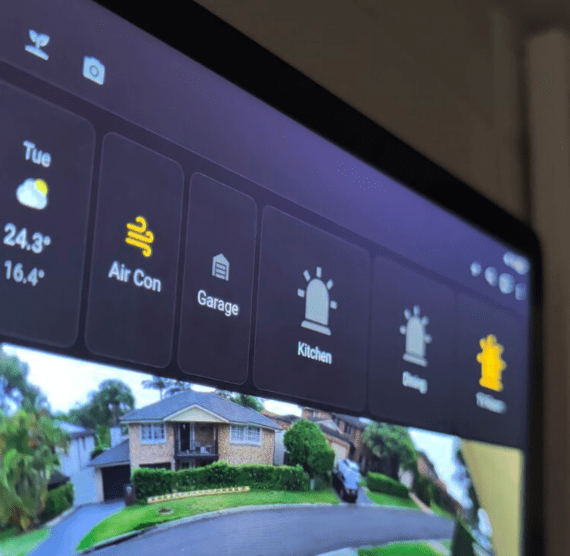
Your power monitoring panel isn’t a third-party app bolted onto the side of your system. It’s a native part of your Home Assistant dashboard, sitting alongside cameras, security, climate and everything else.
Typical layout includes a live power flow diagram (solar → home → grid), gauge cards for generation and consumption, a cost-per-hour display, tariff period indicator, and historical graph panels for daily and weekly trends. If you have individual appliance monitoring enabled, each device gets its own tile with live wattage and daily cost shown.
Everything is visible at a glance, on any screen — wall tablet, phone or browser. No app switching. No separate login. Just your home, showing you what it’s doing.
We work with the hardware you already have where possible, and recommend proven additions where gaps exist.
Inverters:Sungrow, Fronius, SolarEdge, Enphase, Goodwe, Huawei, Delta, ABB and most brands with local network or cloud API access.
Grid monitoring:Shelly EM and EM3 clamp meters — non-invasive, installed by a licensed electrician, no disruption to your existing wiring.
Appliance monitoring:Shelly smart plugs with power metering, Zigbee power monitoring switches, and inline monitoring devices for fixed appliances.
Batteries:Compatibility assessed per system. Many battery inverters expose data via the same APIs as solar inverters. We’ll confirm during your free assessment.
If you already have a monitoring app from your solar installer, we can usually pull that data into Home Assistant alongside everything else — one dashboard, not five.
Ausgrid time-of-use tariffs on the Central Coast mean peak rates can be more than double the off-peak rate. For a typical household running AC, a pool, and standard appliances, the difference between managed and unmanaged energy use runs into hundreds of dollars a year — conservatively.
The monitoring system pays for itself. The automations accelerate it. And once it’s running, it requires nothing from you — it just works. Deeper read: how energy monitoring actually saves money on a Central Coast home.
Do I need solar for this to be worth it?No. Grid-only monitoring still gives you real-time cost tracking, tariff period automation, appliance-level insight, and AI advisory. Solar adds the generation layer and unlocks excess-solar automations, but the value is there either way.
Will this work with my existing solar setup?In almost all cases, yes. We support the major inverter brands used on the Central Coast and use local network integration where available — which is faster and more reliable than cloud-dependent solutions. Compatibility is confirmed during your free assessment.
Does it require internet to work?No. All monitoring runs locally on your Home Assistant server. Live data, automations and the dashboard all function without internet. Remote access and the AI advisor require connectivity, but local operation is fully independent.
Can I monitor my battery storage?Compatibility depends on the battery system. Many modern battery inverters expose data via the same local API as the solar inverter. We’ll confirm compatibility and integration options during your consultation.
What does installation involve?Clamp meter installation at the switchboard requires a licensed electrician — we coordinate that as part of the job. Inverter integration is software-side and done remotely or onsite depending on your setup. Most power monitoring installations are complete in a single day.
Can I add this to an existing Control Freaks installation?Yes. Power monitoring can be added to any existing Home Assistant installation as an upgrade. Contact us and we’ll scope what’s involved.
Book a free consultation and we’ll show you exactly what a power monitoring setup for your property would look like — and what it would realistically save you.