A smart home that requires you to pull out your phone to control it isn’t that smart. The whole point is that the home responds to you — not the other way around.
We deploy smart displays, wall-mounted tablets, Google Nest devices and voice control across your home, all integrated directly into Home Assistant. Live camera feeds that appear automatically when someone arrives. Dashboards that are always on and always current. Voice commands that control every connected device in the house without requiring a separate app, a separate account, or a separate ecosystem to manage.
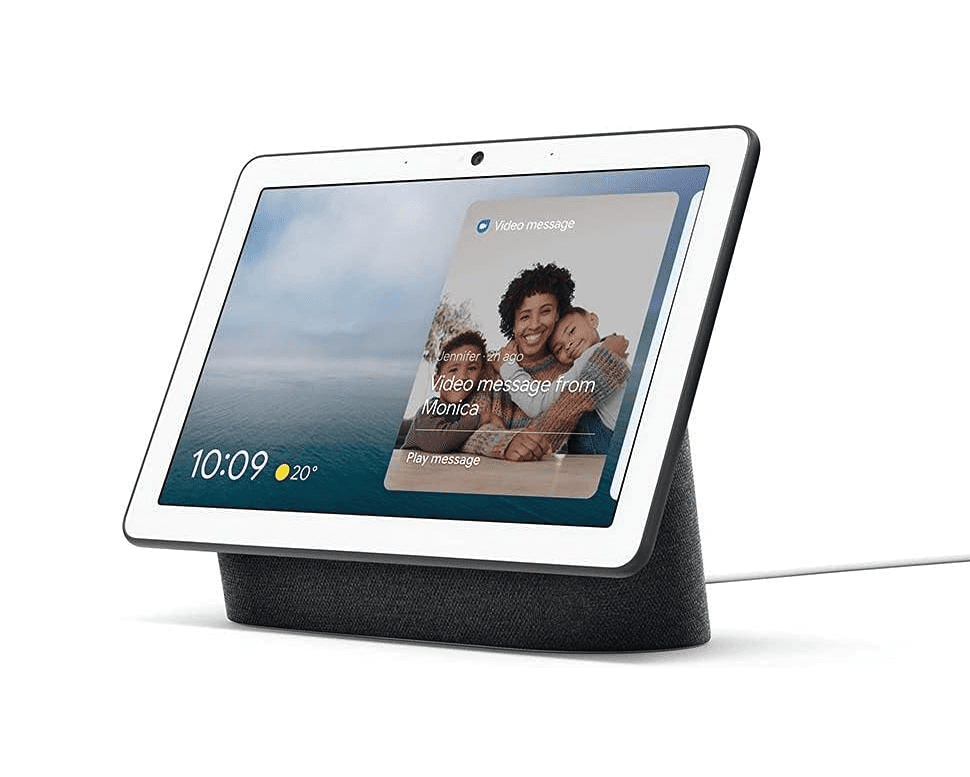
The Google Nest Hub is the most versatile display device we deploy, and its integration with Home Assistant makes it significantly more capable than it is out of the box.
Automatic doorbell camera display— When motion is detected at your front door or a visitor presses the doorbell, the nearest Nest Hub automatically switches to the camera feed. No tap, no command. You see who’s there before they’ve finished knocking.
Dashboard casting— Your Home Assistant dashboard — or any specific panel from it — can be cast to any Nest Hub on demand or on a schedule. Morning routine starts, the kitchen Nest Hub shows the day’s weather, energy summary, and calendar. Evening arrives, it switches to the security camera overview.
Voice control via Google Assistant— Every device connected to Home Assistant is accessible by voice through the Nest Hub. Lights, AC, locks, scenes, irrigation, garage — if it’s in your system, you can control it without touching anything.
Ambient display mode— Between active uses, the Nest Hub runs a clean ambient display. Clock, weather, upcoming calendar events, or a rotating photo frame. It’s always on and always useful without being intrusive.
Nest Hub Max— For kitchens and main living areas where a larger screen matters, the Hub Max adds a 10-inch display and an integrated camera for video calls. Same Home Assistant integration, more surface area.
For the most capable fixed display in your home, nothing matches a dedicated wall-mounted tablet running Home Assistant in kiosk mode.
We supply, configure and install Samsung or Lenovo Android tablets in 10–13 inch sizes, mounted flush to the wall at the most useful location in your home — typically the main living area, kitchen, or hallway entry point.
The Nest Hub is excellent for voice interaction and contextual display. The wall tablet is better for dense information, full dashboard access, and situations where you want persistent visibility of your home’s status at a glance. Most installations include both — Nest Hubs in bedrooms and secondary rooms, wall tablet in the primary living space.
Not every room needs a screen. But every room benefits from being able to hear you.
We deploy Google Nest Minis in rooms where voice control adds value without requiring a display — bedrooms, bathrooms, laundry, garage, home office. Small, unobtrusive, and fully integrated with Home Assistant via Google Assistant.
One command reaches your whole home regardless of which room you’re in. You don’t need to walk to a panel. You don’t need to find your phone. You say what you want and the system does it.
Every routine is built around your specific devices and your specific habits. The defaults we set up at installation are a starting point — you extend and adjust them as you settle into how the system works.
The Google TV Streamer replaces your TV’s smart platform with a significantly more capable one — and connects your television to your Home Assistant system in ways that the built-in smart TV software never could.
Presence-triggered input switching— When your home automation detects you’ve settled into the living room for the evening, the TV can switch to the Google TV input automatically. When you leave, it powers off.
Dashboard display mode— The TV can display your Home Assistant dashboard as an ambient information screen when not in use for media. Camera overview, energy summary, weather — on your largest screen, without a separate device.
Voice control via Google Assistant— Full voice control of both TV functions and your Home Assistant devices from the same interface. One ecosystem, one command surface.
Notification display— Important automations — doorbell events, security alerts, fire warnings — can push a notification overlay to the TV screen regardless of what’s currently playing.
The individual devices are useful. The integration is where the real capability emerges.
Every display in your home is part of the same system. An event in one part of the house can trigger a response on any or all screens simultaneously. A fire alert from the NSW RFS feed surfaces on every Nest Hub and the wall tablet at once. A doorbell press pops the camera feed on the nearest display and sends a notification to your phone. A goodnight routine dims every screen, switches them to minimal ambient mode, and locks the house — triggered by a single voice command from the bedroom.
We design the display and voice layer around your floor plan, your household, and your routines. Where devices go, what they show by default, which automations they participate in, and how household members with different preferences interact with the same system.
Home Assistant bridges to both Apple HomeKit and Amazon Alexa natively. If you have existing Apple or Amazon devices, or a preference for Siri over Google Assistant, we configure the integration so your Home Assistant devices are visible and controllable through whichever ecosystem you prefer.
You’re not locked into a single voice platform. The automations and logic run in Home Assistant regardless — the voice assistant is just the control layer on top.
Which wall tablet do you recommend?We typically install Samsung Galaxy Tab A or Lenovo Tab P series depending on screen size preference and budget. Both run Android cleanly, support kiosk mode lockdown, and have reliable brightness management for always-on use. We supply the tablet, mount, and power solution as part of the installation.
Can I use an iPad instead?iPads work with Home Assistant via the iOS app and display well in kiosk mode. The integration depth is comparable. If you have an existing iPad you want wall-mounted, we can work with it. New installations we typically recommend Android for the additional kiosk management flexibility.
Do the Nest devices require a Google account?Yes. Google Nest devices require a Google account for initial setup and Google Assistant functionality. Home Assistant integration operates locally after setup, but the devices themselves are tied to a Google account. We’ll walk through the account setup requirements during your consultation if this is a concern.
Can different household members have different voice routines?Yes. Google Assistant supports voice match, which means it can identify different household members and respond with personalised routines and information. We configure this during installation.
What happens if Google’s servers go down?Voice commands via Google Assistant require internet connectivity. However, your core Home Assistant automations, device control, and dashboard all continue to function locally. The wall tablet and direct touch control are always available regardless of internet status.
Can you add displays to an existing Control Freaks installation?Yes. Displays and voice devices can be added to any existing Home Assistant installation at any time. Contact us and we’ll scope the additions.
Book a free consultation and we’ll design a display and voice setup that fits your home, your household, and how you actually move through your day.